
⚠️ This page connects you to Atovia’s partners and affiliate markets. We may receive a commission from affiliate partners for activities made through these links. Discount offers may change at any time according to policy! Rest assured, there are no additional costs to you! We hope this saves you time in finding the right items!
- Only one PS5 console per account can be set as “Primary” at a time.
- Games downloaded on the account can be played by anyone using the Primary console, even under a different profile.
- The account owner can play shared games online from any console, while other users on the Primary console can also play them online.
- Changing the Primary console is limited to a small number of times per year.

1. What Is PS5 Game Sharing?
PS5 Game Sharing is a built-in feature that lets two households or two PS5 consoles share access to the same digital game library using one PlayStation account. Instead of buying two copies of a digital game, one account’s purchased titles can be enjoyed by users on a second console as well. This works because Sony ties digital licenses to the account and to whichever console is marked as “Primary,” rather than only to a single physical machine.
This feature is especially useful for family members, roommates, or close friends who want to split the cost of digital games while still keeping their own trophies, save data, and profiles separate.
2. How to Set Up Game Sharing
Setting up game sharing involves two consoles and two PlayStation accounts. The account that owns the games needs to sign in on the second console and set it as the Primary PS5. Once that step is complete, any local user profile on that console can launch and play the shared games, regardless of which account they are signed in with.
The general steps are as follows.
- Sign in to the game-owning account on the console that will be shared.
- Go to Settings, then Users and Accounts.
- Select Other, then Console Sharing and Offline Play.
- Choose Activate as Your Primary PS5.
3. Designating a Primary PS5 Console
A Primary PS5 is the console that unlocks full access to an account’s purchased content for every local profile on that machine. Only one console can hold this status per account at any given time. When a new console is activated as Primary, the previous one automatically loses that status.
Sony limits how often the Primary console can be switched, generally allowing a small number of changes within a rolling period, so it is worth confirming the setup is intended to be long-term before activating a new console.
🛒 Recommended Product
4. Playing Shared Games Simultaneously
One of the most useful aspects of this system is that both users can play shared games online at the same time, using two separate profiles. The account owner can play from any console while signed in with their own account, and other local users on the Primary console can also launch and play the same shared titles, including online multiplayer modes, as long as the console keeps its Primary status.
| Feature | Account Owner (Any Console) | Second User (Primary Console Only) |
|---|---|---|
| Access to shared games | Yes | Yes |
| Online play | Yes | Yes |
| Own save data and trophies | Yes | Yes |
| Requires PS Plus for online play | Own subscription needed | Covered via shared benefits |
5. Limitations and Restrictions to Know
Game sharing is convenient, but it comes with a few important restrictions.
- Only local profiles on the Primary console get automatic access to shared games; the same profile signed in elsewhere will not.
- Some publishers apply extra licensing restrictions to specific titles, which can limit sharing for those games.
- Switching the Primary console too frequently may be temporarily restricted.
- Both parties should trust each other, since the account owner’s payment details and purchase history remain tied to the shared account.
6. Sharing PS Plus Benefits Alongside Games
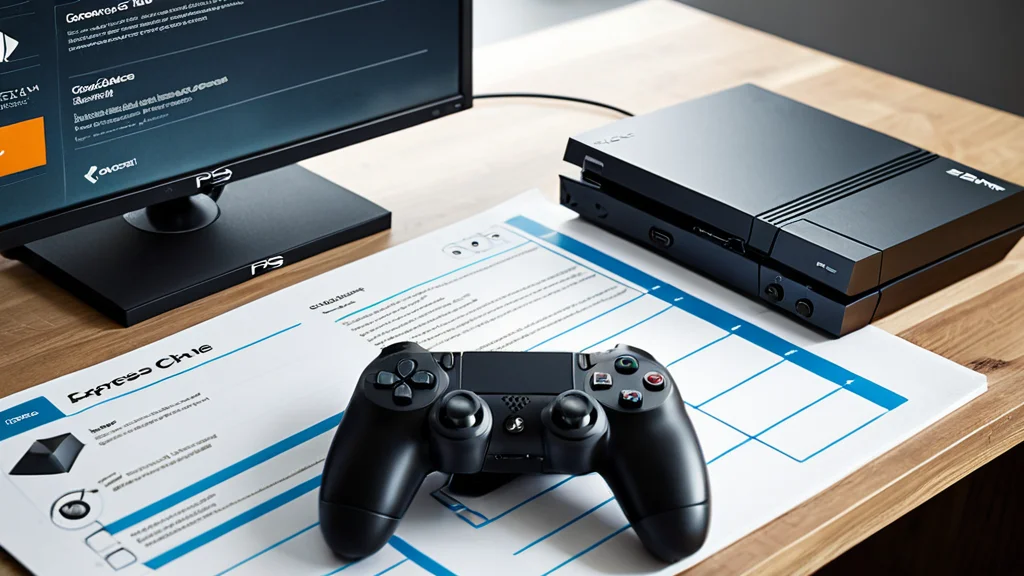
Along with games, an active PlayStation Plus subscription on the account can also extend online multiplayer access to other users on the Primary console. This means a second household can potentially play online without purchasing a separate PS Plus subscription, as long as they are using the Primary console and the subscription remains active on the shared account.
7. Common Problems and How to Fix Them
A few issues come up often when setting up or using game sharing.
- Shared games not appearing: try restarting the console and checking that it is still set as Primary in the account settings.
- Unable to activate as Primary: confirm the console has an internet connection and that any existing Primary console limit has not been reached for the period.
- Online play not working for the second user: verify the PS Plus subscription on the account is active and the console has not lost its Primary status.
- Games grayed out or locked: some titles may have special licensing terms that prevent full sharing, which is expected behavior rather than an error.
8. Frequently Asked Questions
Can more than one console be Primary at the same time? No, only one console per account can hold Primary status at a time.
Do both users need their own PlayStation account? Yes, each person should use their own separate account and profile to keep saves and trophies distinct.
Will switching the Primary console delete save data? No, save data tied to each individual profile is not deleted, though local access to shared games will shift to the new Primary console.
Is there a cost to use this feature? No additional fee is required beyond the cost of the games and any active PS Plus subscription needed for online play.